The Smartwatch Companion App
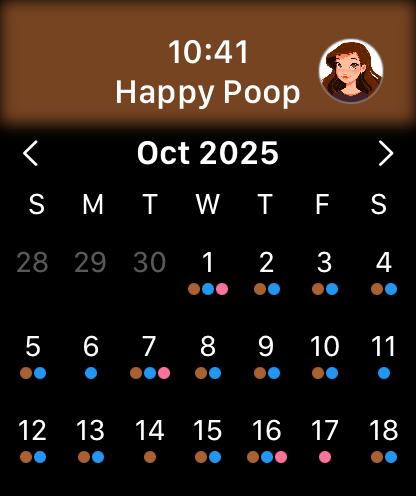
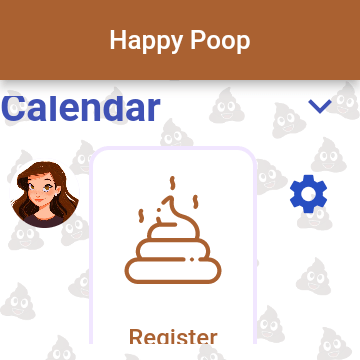
For ultimate convenience, you do not always need to reach for your smartphone to log an entry. Happy Poop offers dedicated companion applications designed specifically for smartwatch ecosystems, supporting both Apple Watch (watchOS) and Google WearOS devices.
Setting Up Your Wearable
Pairing your watch is designed to be frictionless. Simply install and open Happy Poop on your smartwatch. The watch interface will automatically prompt you to open Happy Poop on your connected smartphone. Once opened on the phone, the accounts will securely authorize and sync instantly.
Wearable Features and Limitations
The companion app is streamlined for quick actions. From your wrist, you have full capability to:
- Add new entries for poop, pee, habits, and menstruation using an optimized, touch-friendly interface.
- Visualize your recent history directly on the wearable calendar view.
Cross-Device Data Synchronization
If you utilize an authenticated account, your health data is continuously protected and synchronized across your smartphone, smartwatch, and the web dashboard.
How Background Sync Works
Under normal circumstances, synchronization is entirely seamless and invisible. The moment you save an entry on one device, the cloud infrastructure processes the update and pushes it to your other authenticated devices in the background.
Manual Force Sync
If you are experiencing network connectivity issues or rapidly switching between devices (such as logging on your watch and immediately opening the web dashboard), you can manually initiate a data fetch. Simply navigate to the Interactive Calendar on your mobile device and swipe down on the screen. This action forces the application to ping the server and pull the absolute latest data, ensuring your calendar is perfectly up-to-date.
Smart Home & Voice Logging (Amazon Alexa)
Sometimes you don't have your smartphone or smartwatch on hand. For a truly hands-free experience, Happy Poop integrates directly with your smart home ecosystem via our officially certified Amazon Alexa Skill.
Connecting to Alexa
To enable voice logging, open the Alexa application on your smartphone, navigate to "Skills & Games," and search for the Happy Poop skill. Once enabled, you will be prompted to link your authenticated Happy Poop account. This ensures that any data you log via voice is securely synced directly to your personal cloud database.
Voice Commands
Once your account is linked, you can interact with the platform completely hands-free. Simply use your voice to ask Alexa to log your daily entries. This is particularly useful for quickly logging habits or hydration levels while moving around your home without needing to interrupt your current task to open a screen.